
Three tools, three mental models
If your five-to-eight person agency has been running in Notion, ClickUp, or Airtable for six months and operations still feel subtly disconnected, the issue is rarely a missing feature. It is a misalignment of mental models. These platforms are not three competing versions of the same product. They are three distinct philosophies about what work actually is: Notion is a document that learned to host databases; ClickUp is a task manager that expanded into an all-in-one platform; Airtable is a relational database disguised as a friendly spreadsheet. Choosing the right tool is not about finding the longest feature list — it is about matching the software’s core mental model to how your team naturally processes client delivery.
The three, priced for five members
Every figure below was verified on the vendors’ live pricing pages on July 22, 2026.
| Tool | Free tier limits | First paid tier (per seat/mo, annual) | 5-member monthly (annual billing) | Verified |
| Notion | No block cap solo; 1,000 blocks for team workspaces — not printed on the pricing page, appears at signup | Plus $10/seat | $50/mo ($600/yr) | July 2026 |
| ClickUp | Unlimited tasks, unlimited members; 60 MB storage; 1 form; basic custom fields | Unlimited $7/seat | $35/mo ($420/yr) | July 2026 |
| Airtable | 1,000 records/base; 100 automation runs/month; 1 GB storage | Team $20/seat | $100/mo ($1,200/yr) | July 2026 |
Notion runs a clean per-seat model — the free tier works for a solo founder, and the moment teammates collaborate, the 1,000-block ceiling pushes the workspace toward the Plus tier quickly. Notion’s pricing page deliberately avoids printing the 1,000-block number; you see it during signup on the plan-selection screen. ClickUp offers the most generous free tier for task management — unlimited tasks, unlimited members — though storage and custom field limits eventually push active teams to the Unlimited plan. At $7 per seat annual, the paid jump is the cheapest of the three by a significant margin. Airtable is the most expensive at the first paid tier: the Team plan at $20 per seat annual runs a 5-person team at $100 a month — double Notion’s entry cost and nearly triple ClickUp’s. It also auto-enrolls new signups into a 14-day Team trial, so you experience Team limits first and drop to Free later, which can make the free tier feel more restrictive than expected when the trial ends.
Notion — the document that became a database
Notion’s primary unit of organization is the written page. Everything — whether an embedded table, a gallery view, or a Kanban board — originates as a block within a text document. For a services agency whose primary output involves qualitative thinking — strategy frameworks, brand guidelines, client briefs, and documented processes — this makes Notion an intuitive environment. You can draft an extensive project brief, embed a live deliverables tracker directly beneath the introduction, and link both to a centralized client directory page, all within the same canvas.
We drew the documentation-versus-execution line before in our SaaS overlap guide, when examining Notion and Asana as a pair. Notion is the exception knowledge repository of the two. The hands-on build confirms it: creating a Client Tracker database meant typing a /database command onto a blank page, generating rows that double as full pages where nested notes can live alongside the record itself.
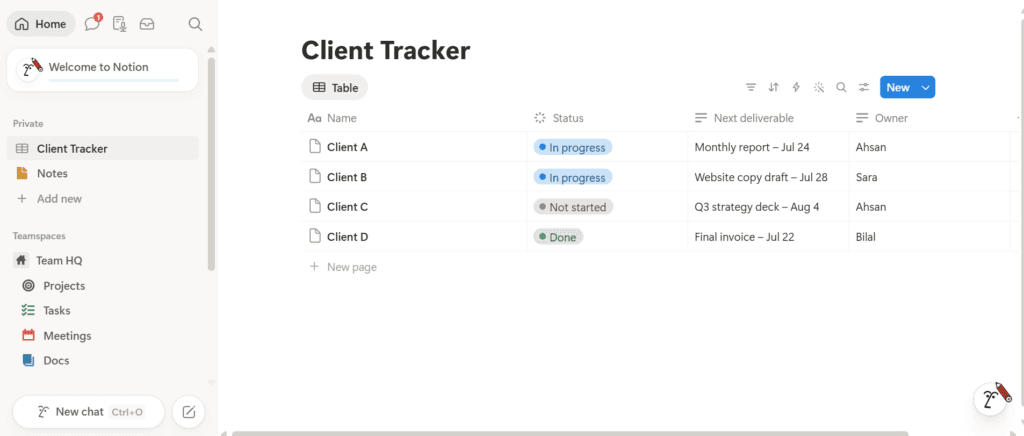
Where Notion struggles is fine-grained, deadline-driven execution. Task boards work, but native workload management, time tracking, and task dependencies require manual database relations and formulas that can break as the team grows. Without enforced structure, the workspace drifts: team members create personalized layouts, pages go stale, and what started as a clean wiki becomes archaeology. Establishing documented conventions before onboarding the team is not optional — [INTERNAL LINK — Article 13: document your workflows — leave as plain text until live].
ClickUp — the task manager that became everything
ClickUp starts from the opposite premise: every work item is a discrete, actionable task that must be assigned, scheduled, and completed. Its mental model is a strict operational hierarchy — Workspace, Space, Folder, List, Task, Subtask — and that rigidity is both the feature and the risk. For a deadline-heavy, production-focused agency running performance marketing campaigns, web development sprints, or video production pipelines, ClickUp’s native time logging, task dependencies, and multiple view modes over the same data are genuinely powerful.
The build illustrated this directly: creating the same Client Tracker in ClickUp required generating a dedicated List inside a project Folder. The four client entries appeared not as passive data records but as actionable tasks waiting to be checked off, assigned, and pushed through a status pipeline. The interface surfaced priority flags, time estimates, and activity logs around a simple tracker that needed none of those things — which is ClickUp’s core tradeoff.
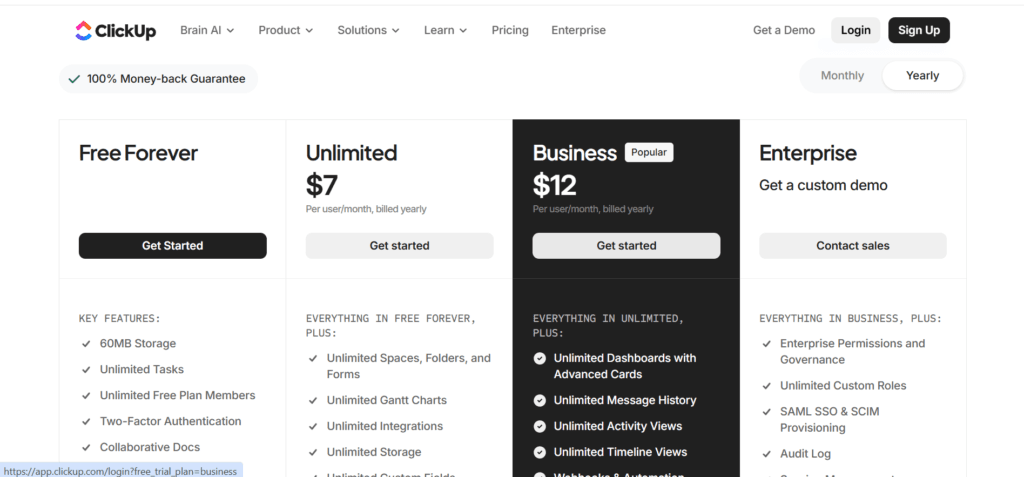
ClickUp’s greatest strength — the ability to configure almost any feature — is also its primary operational risk. New teams hit a steep configuration wall before the tool becomes useful. Without someone on the team who will take ownership of setting up the workspace cleanly, ClickUp can devolve into redundant notifications and conflicting custom fields. The central question is not whether the software can handle your delivery process; it is whether you have someone who will configure it properly and keep it clean.
Airtable — the spreadsheet that became a builder
Airtable treats work as structured data records tied together by relational rules. It is not designed for long-form narrative text like Notion, or for actionable project deadlines like ClickUp. It is designed for teams whose operations depend on clean, interconnected datasets: programmatic content calendars, digital asset libraries, influencer outreach directories, or client inventories with deep cross-dependencies. Its Interface Designer lets you convert raw database grids into custom internal dashboards and client-facing tracking applications — capabilities neither Notion nor ClickUp match.
The build showed the discipline this imposes: populating the Client Tracker required declaring explicit data validation parameters upfront. Cells stay clean and uniformly formatted, but the interface resists free-form narrative notes. Writing a campaign brief inside an Airtable long-text cell feels like drafting in a spreadsheet row.
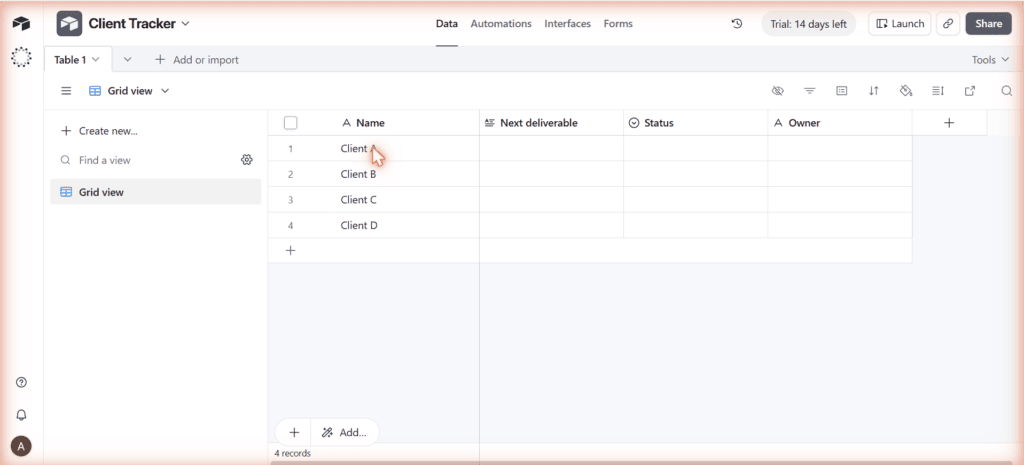
Two numbers from the free tier matter more than any feature comparison. First, the automation run cap: 100 runs per month on Free, 25,000 on Team. Routine status updates can exhaust the free allowance inside a week, stopping automated processes mid-month. Second, the trial trap: Airtable auto-enrolls new signups in a 14-day Team trial — you experience Team-tier limits first, then drop to Free when it expires, which makes the free tier feel more restrictive than the pricing page suggests. For agencies seeking client presentation portals, specialized options are worth reviewing.
Document your workflows
The automation question
Connecting your operations tool to an external automation stack — the Make and n8n architectures in Articles 01 through 04 — is what turns a project tracker into an active part of your agency’s workflow. We searched Make.com’s integration directory and n8n’s integration index for all three tools on July 22, 2026.
On Make, each tool returns one canonical app in the directory — Notion, ClickUp, and Airtable each appear as a single verified integration, with triggers and actions available as modules once the app is added to a scenario. On n8n, each tool has two nodes: a core node for actions and a separate Trigger node for event-based automation. The search also returns a generic “Data table” node as a fuzzy match on two queries — that is n8n’s own core node, not a tool-specific integration.
All three tools are first-party supported on both platforms, which means any of them can connect to the workflows your agency already has running. The practical differentiation at this level is in webhook behavior — whether a tool pushes data instantly when something changes, or whether automation platforms have to poll on a schedule. That depth is worth checking in each tool’s own documentation before building production workflows, since it affects how real-time your automations can be. For the typical agency use case covered here — syncing a client record, logging a status change, triggering a report — all three integrate cleanly with Make and n8n.
The verdict, by situation
- Choose Notion if your agency is docs-first: your client value comes from strategic thinking, comprehensive briefs, and documented processes where databases serve as contextual reference tables alongside long-form text.
- Choose ClickUp if your agency is deadline-driven: your operations revolve around high-velocity project execution, strict task dependencies, and complex deliverable schedules — and you have someone on the team who will configure the workspace properly.
- Choose Airtable if your agency is data-first: your service delivery relies on managing complex relational records, structured asset directories, or building custom internal data applications rather than managing daily task lists.
The Week-Six Rule outranks all three: the software your team opens, trusts, and updates every morning will always outperform a platform with a superior feature list that team members actively avoid. Pick the one that matches how your team already thinks about work — not the one that sounds best in a comparison article.
The honest limitations
Hands-on depth here was deepest in Notion, where the workspace build drew on established architecture. ClickUp and Airtable were built fresh for this article; the evaluation reflects a concentrated one-session test rather than months of team use. That is the honest scope — stated plainly, same as our CRM comparison.
All pricing figures and integration listings were verified on July 22, 2026. Airtable’s tier pricing has moved before, ClickUp’s AI add-on pricing sits alongside the main plan grid and can cost multiples of the seat price itself, and Notion’s free-tier block limit appears during signup rather than on the pricing page — check all three live before committing team data to any of them.
