
This walkthrough uses the site’s composite client cast (Acme Digital, Northline Co, Brightpath Media, Corvid Studio) as example inbound leads. No real client data appears below.
[Table of Contents]
The lead filter that can’t tell budget from browsing
An inbound form submits. A new deal lands in the pipeline. A sales lead glances at it, decides it “looks decent,” and sends a quick email — or gets busy, and it sits unaddressed for two days.
Standard form rules check whether required fields are populated, but they can’t distinguish between a founder with $15,000 set aside for a six-week launch and a casual browser asking “what do you charge?” Both pass the exact same gate. Qualification ends up happening inside someone’s head, applied inconsistently depending on who’s reviewing the inbox and how busy they are that day.
AI lead qualification closes that gap. Instead of manual skim-reading, an LLM evaluates raw text against explicit criteria, sorting inquiries into actionable tiers — and refusing to guess when the critical facts just aren’t there.
What this AI lead qualification prompt does
Given a raw inbound inquiry — an email, a form submission, a transcript — the prompt evaluates the text and returns a structured verdict: a single classification label, the exact facts justifying it, and a recommended next action.
- HOT — the inquiry states a budget, states a timeline, and demonstrates clear decision-making authority
- WARM — a concrete project with at least one of those three present, not all
- COLD — no concrete scope: exploratory, price-shopping, or a vague future idea
- INSUFFICIENT_DATA — not enough in the inquiry to score responsibly; instead of guessing, the prompt outputs what’s missing and specific follow-up questions
INSUFFICIENT_DATA is the safety valve most lead-scoring setups skip. A rule-based engine will happily force a low numeric score onto a two-line email. This prompt is built to stop instead of guess.
The prompt
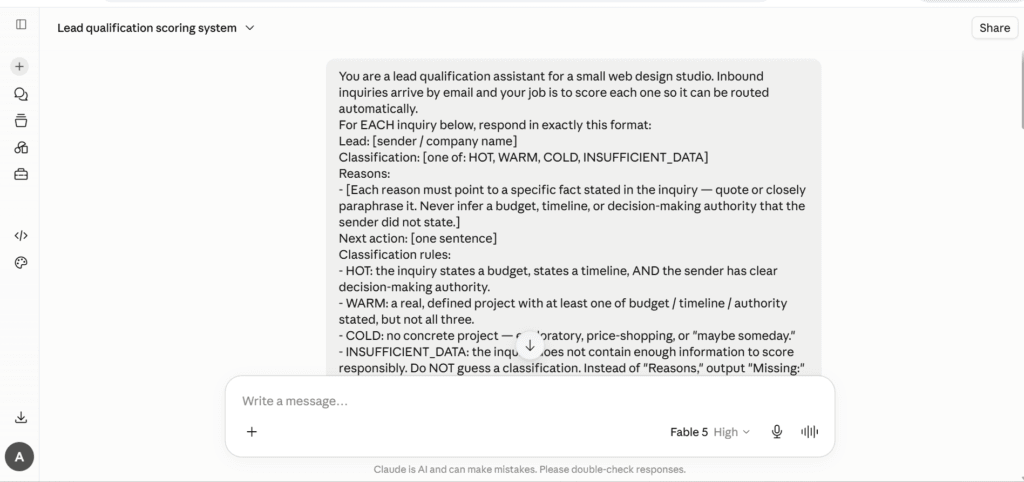
The full prompt, sent to the model, unedited
You are a lead qualification assistant for a small web design studio. Inbound inquiries arrive by email and your job is to score each one so it can be routed automatically.
For EACH inquiry below, respond in exactly this format:
Lead: [sender / company name]
Classification: [one of: HOT, WARM, COLD, INSUFFICIENT_DATA]
Reasons:
– [Each reason must point to a specific fact stated in the inquiry — quote or closely paraphrase it. Never infer a budget, timeline, or decision-making authority that the sender did not state.]
Next action: [one sentence]
Classification rules:
– HOT: the inquiry states a budget, states a timeline, AND the sender has clear decision-making authority.
– WARM: a real, defined project with at least one of budget / timeline / authority stated, but not all three.
– COLD: no concrete project — exploratory, price-shopping, or “maybe someday.”
– INSUFFICIENT_DATA: the inquiry does not contain enough information to score responsibly. Do NOT guess a classification. Instead of “Reasons,” output “Missing:” (what’s absent) and “Follow-up questions:” (2-3 specific questions to send back to the sender).
The “Classification:” line must contain only one of the four labels and nothing else — it is parsed by an automation filter downstream.
The last line matters as much as the scoring logic: output that can’t be cleanly parsed isn’t usable in a filter, no matter how good the reasoning is.
What good output looks like
Four test inquiries, spanning the full range.
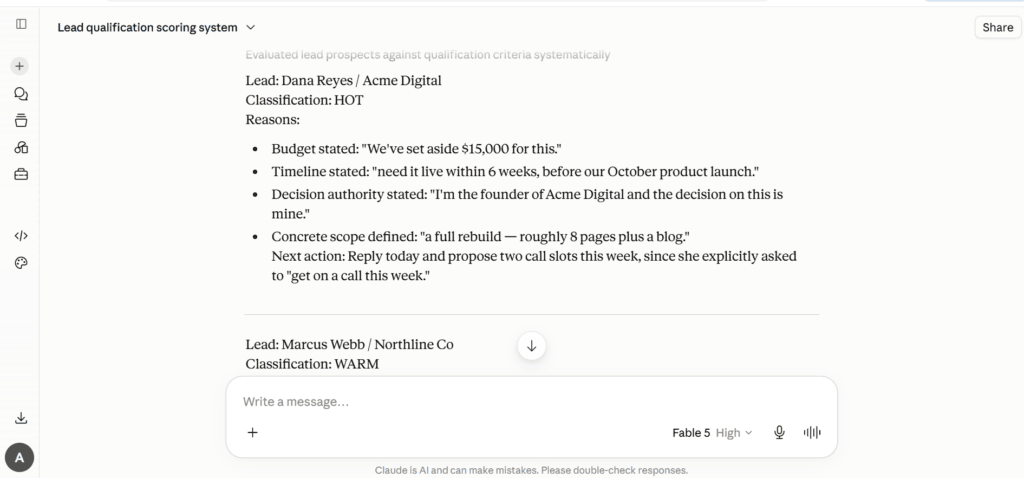
The scored output, unedited — Dana Reyes shown in full
1. Dana Reyes, Acme Digital
From: Dana Reyes, Acme Digital — Subject: Website rebuild — ready to start”Hi, I’m the founder of Acme Digital and the decision on this is mine. Our current site is costing us leads and I want a full rebuild — roughly 8 pages plus a blog. We’ve set aside $15,000 for this and need it live within 6 weeks, before our October product launch. Can we get on a call this week?”
Lead: Dana Reyes / Acme Digital
Classification: HOT
Reasons:
– Budget stated: “We’ve set aside $15,000 for this.”
– Timeline stated: “need it live within 6 weeks, before our October product launch.”
– Decision authority stated: “I’m the founder of Acme Digital and the decision on this is mine.”
– Concrete scope defined: “a full rebuild — roughly 8 pages plus a blog.”
Next action: Reply today and propose two call slots this week, since she explicitly asked to “get on a call this week.”
2. Marcus Webb, Northline Co
“Hello, we’re planning to redesign our online store — the checkout flow is dated and mobile conversion is poor. We’d like this done in Q4, ideally launching before Black Friday. I run marketing here; I’d need to loop in our ops director before anything is signed. We haven’t landed on a budget yet.”
Lead: Marcus Webb / Northline Co
Classification: WARM
Reasons:
– Real, defined project: redesign of the online store, specifically citing “the checkout flow is dated and mobile conversion is poor.”
– Timeline stated: “We’d like this done in Q4, ideally launching before Black Friday.”
– Budget not stated: “We haven’t landed on a budget yet.”
– Authority is shared, not clear: he runs marketing but says “I’d need to loop in our ops director before anything is signed.”
Next action: Send a short approach outline for e-commerce/checkout redesigns as requested, and suggest a call that includes the ops director to discuss scope and budget range.
3. Priya Nair, Brightpath Media
“Hi there! Lovely portfolio. We’re not committed to anything right now, but I’m putting together some rough numbers for leadership in case we refresh our site sometime next year. Could you send over your general pricing ranges? We’re asking a few agencies the same thing. No rush at all!”
Lead: Priya Nair / Brightpath Media
Classification: COLD
Reasons:
– Explicitly not committed: “We’re not committed to anything right now.”
– Vague, distant timeframe: “in case we refresh our site sometime next year.”
– Price-shopping across vendors: “Could you send over your general pricing ranges? We’re asking a few agencies the same thing.”
– Sender is gathering numbers for leadership, indicating she is not the decision-maker: “putting together some rough numbers for leadership.”
Next action: Send a friendly one-page pricing-range overview, add her to the nurture list, and set a reminder to check in early next year.
The proof moment: handling sparse data
The real test is a thin, ambiguous inquiry — the kind an unconstrained model tends to fill in with something plausible rather than admit it doesn’t know.
From: hello@corvidstudio.com — Subject: website”We might need some help with our site. What do you charge?”
Lead: hello@corvidstudio.com
Classification: INSUFFICIENT_DATA
Missing:
– Any description of the project or scope (“might need some help with our site” gives nothing concrete)
– Sender name, role, or decision-making authority
– Budget and timeline
Follow-up questions:
– What kind of help are you looking for — a redesign, new features, fixes, or something else?
– Do you have a rough timeline or launch date in mind?
– Who at Corvid Studio would be the point of contact and decision-maker on this project?
No classification was forced. Every quoted reason across all four leads also checks out exactly against what was written in the original inquiries — nothing inferred, nothing invented.
Where this lead scoring prompt fits in your stack
Paired with the after-hours voice intake assistant, this prompt can process call transcripts overnight, sorting them before the sales team’s morning even starts — including handling anything a caller pushed back on, per the same build’s objection-handling rules. The facts captured in Reasons: — stated budget, scope, timeline — are also exactly what an AI proposal drafting prompt needs as input, instead of starting from a blank page. Because Classification: is restricted to four uniform labels, Make or Zapier can parse it directly and route HOT to an instant Slack alert, INSUFFICIENT_DATA to an automated follow-up email.
For the mechanics of point-based scoring inside a CRM directly — fit criteria, engagement signals — HubSpot’s own lead scoring documentation covers that model; this prompt is a lighter, LLM-native alternative for agencies not ready to build one there yet.
What to add next
- Build the Make/Zapier routing. HOT to a closer’s calendar, INSUFFICIENT_DATA to an automated email with the generated follow-up questions, COLD to a nurture sequence.
- Track classifications against real deal outcomes. Log AI scores alongside win/loss in the CRM; revisit the criteria if a pattern shows the weighting is off — e.g., how heavily shared authority should count against WARM.
- Auto-generate the INSUFFICIENT_DATA follow-up email. The prompt already writes the right questions — turning that into a ready-to-send draft removes the last manual step.
The honest limitations
Scoring accuracy is strictly bounded by the text provided. A highly qualified buyer who sends a terse two-line email gets flagged INSUFFICIENT_DATA — the model can’t infer intent that was never written down.
The criteria reflect strategic choices, not absolute truths. Requiring a stated budget for HOT intentionally prioritizes prospects with defined spending over high-potential accounts that need a more consultative sale — adjust the rules to match your agency’s actual sales motion, not the default.
Finally, this assists prioritization — it doesn’t replace judgment. A COLD or INSUFFICIENT_DATA label is a triage recommendation, not a verdict to act on without a second look, especially while the criteria are still being tuned against real outcomes.
