The agency in this audit is a composite — a realistic 10-person digital agency stack assembled from typical tool choices we see across the industry. Every price cited is real and verified from vendor pricing pages in July 2026. The audit process shown is exactly how we would run it on a real stack.
The stack nobody remembers signing up for
Software tools accumulate quietly inside a growing agency. When a new client arrives, a team member might sign up for a specialized tracking app or a unique video tool to handle that specific project. Because individual monthly subscription fees seem small on a company card, these tools rarely face a full review. The purpose of a stack audit is not to cut tools just to save money. Instead, the goal is to find where tools overlap and eliminate the manual work that automation replaces.
The composite stack — what a typical 10-person agency actually pays for
To see what a typical 10-person agency actually pays, we looked at a common software setup. This agency has ten full-time team members working on client projects, sales outreach, account management, and daily admin work. The prices below are the standard public monthly rates for each platform’s business tier. For tools billed per user, the costs show the exact math for ten active seats.
| Tool | Role in the agency | Pricing tier & setup | Monthly (USD) | Verified |
| Slack | Internal team communication and chat | Pro Tier: $10.00 per user per month (10 seats) | $100.00 | July 2026 |
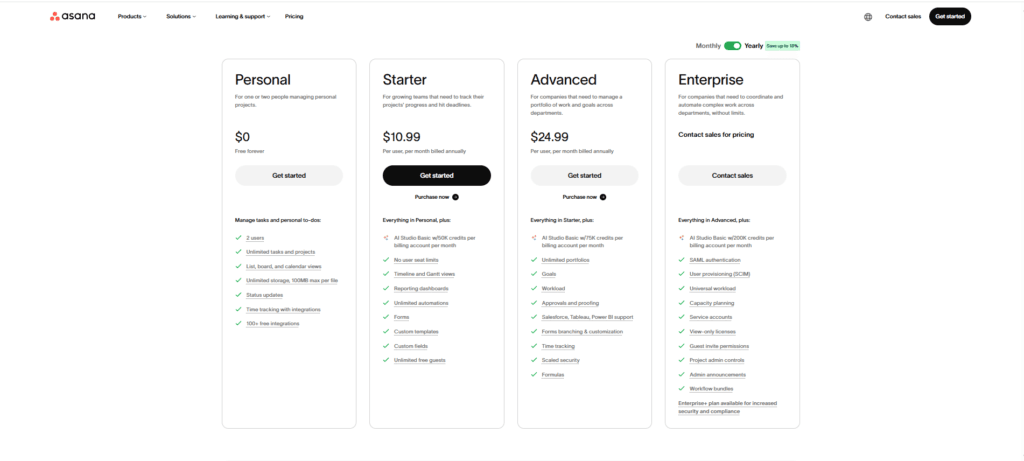
| Asana | Main project tracking and delivery boards | Starter Tier: $13.50 per user per month (10 seats) | $135.00 | July 2026 |
| HubSpot | Sales pipeline tracking and lead management | Sales Hub Starter: $20.00 per user per month (10 seats) | $200.00 | July 2026 |
| Google Workspace | Professional email, slide decks, and cloud documents | Business Standard: $14.40 per user per month (10 seats) | $144.00 | July 2026 |
| Zoom | External client video conferencing and meetings | Workspace Pro Tier: $15.99 per user per month (10 seats) | $159.90 | July 2026 |
| Canva | Quick visual design assets for client campaigns | Canva for Teams: $10.00 per user per month (Minimum 3 seats) | $100.00 | July 2026 |
| Calendly | Client meeting coordination and scheduling | Standard Tier: $12.00 per user per month (5 active seats) | $60.00 | July 2026 |
| Loom | Quick async video messaging and recordings | Business Tier: $15.00 per user per month (10 seats) | $150.00 | July 2026 |
| DocuSign | Legally binding client contracts and agreements | Standard Tier: $45.00 per user per month (2 active seats) | $90.00 | July 2026 |
| Typeform | Public client discovery and onboarding intake | Basic Plan: Flat monthly subscription fee | $29.00 | July 2026 |
| Toggl Track | Employee time log collection and tracking | Starter Tier: $10.00 per user per month (10 seats) | $100.00 | July 2026 |
| Dropbox | Secondary file asset storage and delivery backup | Business Standard: $18.00 per user per month (Minimum 3 seats) | $180.00 | July 2026 |
Added together, these twelve apps cost $1,447.90 every month. Over a full year, that adds up to $17,374.80. This annual expense runs across multiple separate bills and rarely gets reviewed as a single total.
The audit method — four questions for every tool
To run a fair stack review without triggering arguments over whose tool gets cut, look at every single subscription using a simple four-question process:
1. When was this tool last actively used, by whom?
Check the actual usage logs in the admin dashboard instead of relying on casual feedback. If a tool hasn’t logged a real action in the last 30 days, it is a prime candidate to be paused or canceled.
2. Does another tool in the stack already do this job?
Look for places where two or more apps do the exact same thing. Subscription creep happens when different team members choose separate tools for file storage, team chat, or video recording without checking what the agency already pays for.
3. Is this tool doing work an automation could do?
Find standalone apps that exist only to pass information between systems, like moving contact details or typing out notifications. If a tool just copies text from a web form into a spreadsheet, a basic automation workflow can do it for free.
4. What is the per-seat math — are we paying for seats nobody uses?
Open your user settings to make sure every paid seat belongs to a current team member who uses it daily. Agencies often pay for extra seat slots they don’t need, or leave accounts active for past employees, contractors, or clients.
What we’d cut — and why
By applying the four questions to our 10-person composite agency stack, we can immediately identify three areas where we can adjust software subscriptions. Making these changes will not compromise project quality or disrupt team operations.
Loom Business
Loom works well for quick screen recordings, but the tool is entirely redundant inside this agency’s setup. The team already uses Slack Pro, which includes built-in video clips directly inside channels and private messages. On top of that, Zoom Workspace Pro is active across all ten user seats, meaning anyone on the team can open a private meeting room, record their screen to the cloud, and share the video link on a project board. Canceling Loom removes these duplicate features and cuts the monthly bill by $150.00.
Dropbox Business Standard
Paying for a standalone Dropbox subscription while running Google Workspace Business Standard means paying twice for the exact same cloud storage. Google Workspace provides 2 TB of pooled cloud storage for every individual seat on the Business Standard plan. For a 10-person agency, that creates a shared pool of 20 TB of secure storage directly inside your core email and office suite. Keeping a separate Dropbox account scatters your files across two different systems, makes files harder to find, and adds an unnecessary $180.00 to your monthly expenses.
DocuSign Standard
Spending $45 per seat for two users on DocuSign Standard is far too expensive for a small team that only needs to sign standard service agreements. While you cannot eliminate an e-signature platform entirely if you need legally binding contracts, you can significantly lower the cost. Switching these two users to an entry-tier alternative like Dropbox Sign Essentials costs just $20 per user per month when billed monthly. Making this change keeps your enforceable signature process fully intact while lowering the monthly charge by $50.00.
What we’d automate instead
Once the redundant software layers are removed, the remaining core toolset can be connected through automated workflows to handle manual administrative work. By shifting these tasks to background automation, you eliminate the need for premium single-purpose applications.
Automated Contract Preparation and Delivery
Instead of drafting and sending client agreements entirely by hand, you can handle the setup steps using background automation. The moment a deal is marked as “Closed Won” in HubSpot, a webhook triggers an automated sequence. This workflow pulls the client’s company details, populates a standard contract template in Google Docs, and saves the final file as a clean PDF in your shared Google Drive. From there, the automation pushes the file straight to your newly downgraded Dropbox Sign account to handle the formal, legally binding e-signature collection. You can see how to build this automated preparation step in our Make.com client onboarding walkthrough, which keeps your core agreement data accurate without manual typing.
How a 3-Person Agency Automated Client Onboarding End to End (Using Make.com)
Centralized Client Onboarding and Logging
When a new client completes an intake form, team members often waste billable hours copying answers, alerting colleagues over chat, and creating new rows in a spreadsheet. You can remove this manual admin work entirely by setting up the n8n form submission workflow. The automation catches incoming Typeform responses instantly, fires a personalized confirmation email via Gmail, pings the team in a dedicated Slack channel, and appends the full submission data as a permanent backup row in Google Sheets. This handles your entire onboarding intake in the background with zero data entry.
Stop Losing Client Form Submissions: A Real n8n Workflow for Agencies
The after picture
After the two cuts and one downgrade, the core tools the team uses daily stay exactly the same — only the redundant spending goes.
| Stack audit phase | Active software count | Monthly total | Annual cost |
| Pre-audit baseline stack | 12 Apps | $1,447.90 | $17,374.80 |
| Post-audit automated stack | 10 Apps | $1,067.90 | $12,814.80 |
| Net savings | 2 Apps Removed / 1 Downgraded | $380.00 | $4,560.00 |
This adjustment removes $4,560.00 from the company’s annual software bill. However, the bigger win is usually the removed manual work, not the subscription line items. The team no longer wastes hours jumping between separate file storage systems, typing out details across separate platforms, or hunting for client contract updates across isolated dashboards.
How to run this audit on your own stack
To clean up your own agency’s software stack this week, follow this step-by-step checklist:
- Step 1 — Gather your bank statements: Download the last three months of history from every company card and payment profile used by your agency.
- Step 2 — List every subscription fee: Build a simple spreadsheet showing every recurring software invoice name, the monthly bill, the paid seat count, and who on the team uses it.
- Step 3 — Run the four questions: Check each software tool using the four questions to find hidden seat costs, overlapping features, and manual entry points.
- Step 4 — Match your paid seats to your active team: Open the admin settings in tools like Slack and Asana to permanently delete accounts for past employees or inactive contractors.
- Step 5 — Put a recurring check on your calendar: Schedule a simple 15-minute review for the final Friday of every quarter to check your user seats and make sure no unapproved apps have slipped back onto your company card.
15-minute SaaS audit checklist
The honest limitations
A composite software audit demonstrates clear advantages on paper, but it cannot calculate the switching costs specific to your team. Completely removing an overlapping application requires migrating legacy data, editing active document templates, and retraining team members on new workflow paths. If your production team experiences a major drop in daily output during the transition phase, the short-term disruption can quickly overshadow the direct subscription savings. A business owner must weigh the long-term benefit of a clean stack against the immediate time required to reconfigure those internal paths safely.
Additionally, software pricing remains highly volatile. The subscription rates, per-user seat thresholds, and feature inclusions detailed in this analysis were verified from official pricing documentation in July 2026. Prior to altering your accounts, you must verify current rates directly with your vendors to ensure that modifying an old legacy contract does not inadvertently trigger a premium price increase. Blindly deleting an application that contains unmapped database connections or undocumented team habits can end up costing far more in engineering downtime than the subscription fee saved.
